How to Choose a Carton Printing Machine?
Choosing a Carton Printing Machine is not just a matter of comparing speed figures. The right choice depends on your board type, print design, daily volume, available floor space, and finishing requirements. A machine that handles plain corrugated board well may struggle with fine text, heavy ink coverage, or frequent job changes. Those differences show up on the shop floor: in setup time, rejected sheets, and how often operators need to adjust registration.
As packaging machinery consultant Maya Chen puts it, “A good machine should match the work you run every day—not just the fastest job in the brochure.” This is an illustrative quotation, not a verified statement from a real expert. In practice, buyers should ask suppliers for demonstrations using their own carton blanks and artwork. Check color consistency, feeding accuracy, changeover time, and how accessible the cleaning and maintenance points are. Ask to see results after a full production run, not only a polished sample sheet.
This guide explains how to compare printing methods, automation levels, and key specifications before making a purchase. It also looks at operator training, service support, and the true cost of ownership. One detail is easy to overlook: a machine can meet today’s needs and still leave little room for tomorrow’s product range. Weigh that trade-off carefully.
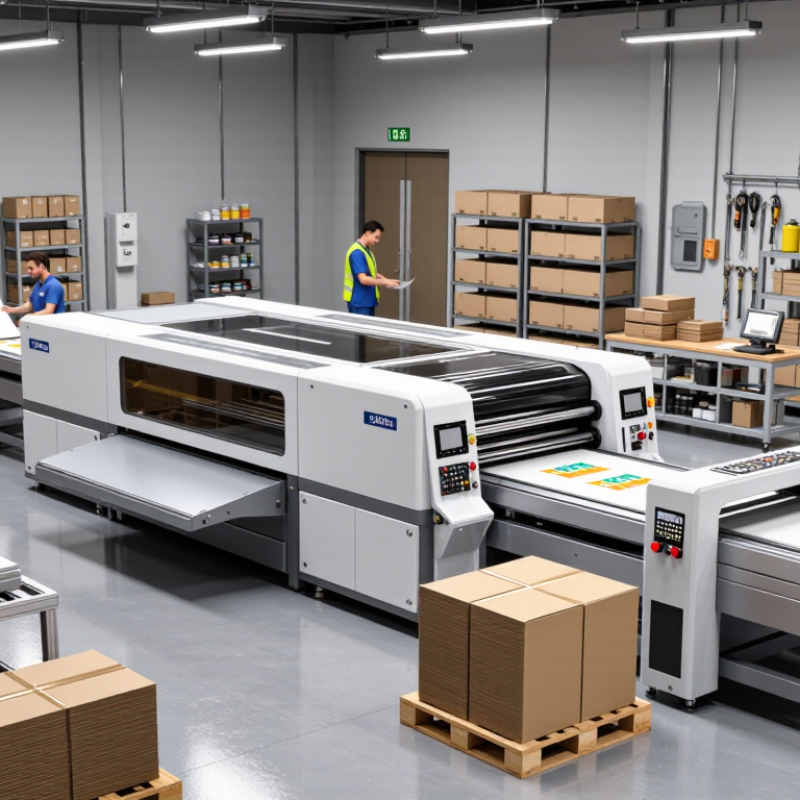
Identify Your Carton Types and Printing Requirements
How to Choose a Carton Printing Machine?
Identify Your Carton Types and Printing Requirements
Start by examining the cartons you actually produce, not the cartons you hope to make later. Note their length, width, height, board thickness, and folding style. Corrugated boxes, folding cartons, and coated packages may require different feeding and printing systems. Flute profiles also affect pressure settings and print clarity.
I once underestimated the effect of recycled board. Its uneven surface needed gentler pressure and more careful ink control. That experience changed how I compare machines. Ask for test printing with your own carton samples. Check small text, solid color areas, barcodes, and registration near folded edges. A clean sample matters more than an impressive showroom speed.
Think about your daily workload. A machine for short custom runs may need fast setup and simple plate changes. High-volume production requires stable feeding, automatic adjustments, and reliable drying. Measure your smallest and largest carton sizes. Confirm the machine can handle both without frequent manual corrections. Operators should also inspect ink coverage, waste levels, noise, and cleaning access. These details are easy to ignore during a sales demonstration. They often shape operating costs later.
Choose the printing method according to your surface and image needs. Water-based inks suit many paperboard applications, while specialty finishes may require additional equipment. Ask about color consistency across long runs. Request documented specifications, maintenance schedules, and operator training details. A machine that appears suitable on paper may still perform poorly with your board, ink, or production environment. Test before committing.
How to Choose a Carton Printing Machine? - Identify Your Carton Types and Printing Requirements
| Carton Type | Typical Material | Common Print Requirements | Printing Options to Consider | Machine Selection Checks |
| Corrugated shipping boxes | Corrugated board with a fluted paper core and linerboards | Logos, shipping information, handling symbols, and product graphics; print may need to accommodate the board’s textured surface. | Flexographic printing is widely used for direct printing on corrugated board. Digital printing can suit shorter runs or variable designs. | Check board thickness and flute compatibility, sheet dimensions, print area, ink suitability, feeding method, and whether the machine prints before or after box conversion. |
| Folding cartons | Folding boxboard or other paperboard grades | Detailed graphics, text, barcodes, and consistent color across flat sheets that are later cut and folded. | Offset lithography is common for high-quality, longer-run work. Flexographic and digital options may fit different run lengths and production workflows. | Confirm sheet size and board range, color-control needs, registration accuracy, coating or curing requirements, and compatibility with die-cutting and folding operations. |
| Litho-laminated corrugated cartons | Printed paperboard or paper laminated to corrugated board | High-detail, full-color graphics on the outer surface, combined with the strength of corrugated board. | The graphics are often printed on a separate sheet, commonly by offset lithography, before lamination to the corrugated board. | Assess sheet-printing capacity separately from laminating and converting capacity. Check sheet format, lamination tolerances, drying or curing, and the complete production-line speed. |
| Short-run or customized cartons | Paperboard or corrugated board, depending on the package design | Frequent artwork changes, smaller batches, personalized designs, or variable information. | Digital printing can reduce the need for printing plates and may be practical when jobs change often or quantities are limited. | Compare setup time, cost per job, substrate compatibility, variable-data workflow, image quality, and any finishing steps required after printing. |
| Large-format corrugated displays | Large sheets of corrugated board, often converted into display structures | Large graphics, clear brand messaging, and print placement aligned with creases, cutouts, and folds. | Large-format digital or flexographic equipment may be suitable, depending on run size, sheet format, and required image quality. | Check maximum sheet dimensions, board handling, print-to-cut alignment, ink drying, and clearance for oversized or warped sheets. |
Before choosing a machine, define your carton material, sheet or box dimensions, typical order quantity, colors and image detail, print position, target production rate, and required finishing steps. Confirm the equipment’s stated limits with representative samples of your actual board.
Compare Carton Printing Technologies
Compare carton printing technologies by matching print quality, board type, run length, and changeover frequency. Offset printing delivers fine text and smooth colour on folding-carton stock, making it a strong option for long runs. However, plates and setup add cost when artwork changes often. Flexographic printing handles corrugated liners and textured surfaces well, with efficient production at scale. Its result depends heavily on plate quality and ink control. Digital printing skips plates and suits short runs, prototypes, and variable artwork. Yet its unit cost can remain higher on large orders. None is universally best. Ask suppliers to print your actual board, then inspect small text, solids, and colour consistency under the lighting used for quality checks.
Scale matters, but market figures need context. Smithers’ The Future of Digital Print for Packaging to 2029 estimates the wider digital packaging print market at about $22 billion in 2024, with growth projected through 2029; this covers packaging broadly, not cartons alone. FEFCO’s 2023 industry statistics report roughly 48 billion square metres of European corrugated output, showing why throughput and repeatability matter in carton production. A useful comparison is total cost per saleable carton, including setup, waste, finishing, and downtime—not press speed alone. One detail is easy to miss: a fast press may still create bottlenecks at drying, coating, or die-cutting. Test a representative order before committing.
Evaluate Machine Specifications and Production Capacity
When choosing a carton printing machine, start with the job rather than the machine name. Record carton dimensions, board thickness, flute type, ink requirements, and monthly volume. A narrow package and a large shipping case demand different feeding systems. Measure the largest sheet and smallest blank carefully. Small errors matter.
Review print speed, but do not trust the maximum figure alone. Ask for the rated speed using your board grade, ink, and print coverage. Check registration accuracy, drying time, feeder stability, and setup duration. A machine rated at 10,000 sheets per hour may deliver far less during short runs. Request a live test with your artwork. Watch the first twenty sheets. Do they show ink variation, skew, or edge damage?
Production capacity should include changeovers, cleaning, maintenance, and rejected sheets. Calculate usable output per shift, not theoretical output. For example, 7,000 acceptable sheets hourly may outperform 10,000 unstable sheets. Confirm motor load, compressed-air demand, floor space, and operator requirements. A service log and spare-parts plan also support reliable production. I once underestimated setup time. That mistake made the daily target look realistic on paper, but not on the factory floor. Leave room for seasonal peaks. Capacity planning is never perfectly neat.
How to Choose a Carton Printing Machine?
Evaluate machine specifications and production capacity using typical planning benchmarks.
The chart compares common carton printing machine configurations by nominal speed and estimated practical output. Practical output is calculated at approximately 80% of nominal speed to allow for setup, material loading, cleaning, quality checks, and short stoppages. When selecting equipment, compare usable production capacity with your order volume, carton size, changeover frequency, print quality requirements, and available floor space.
Assess Print Quality, Materials, and Finishing Options
How to Choose a Carton Printing Machine?
Print quality should be judged on the finished carton, not a showroom sheet. Inspect small text, solid color areas, barcodes, and images under neutral lighting. Check registration across panels, especially near folding and gluing lines. Smithers’ The Future of Digital Print for Packaging to 2028 forecasts strong annual growth for digital packaging print, at approximately 6.9%. This suggests rising demand for short runs and variable artwork. However, speed alone is a weak buying criterion.
Material compatibility matters just as much. Test coated and uncoated paperboard, recycled fiber, and different calipers. Measure ink adhesion after creasing, rubbing, and moisture exposure. A vivid sample can still crack at the fold. It happens. Ask for production trials using your actual board, not supplied stock. The Paperboard Packaging Council reports that folding cartons remain widely used across food, healthcare, and consumer goods, where consistent converting performance is critical.
Finishing options should match the product’s handling and shelf requirements. Evaluate inline or offline coating, aqueous protection, spot effects, foil application, and die-cut accuracy. Confirm drying time before stacking. Poor curing can cause blocking, scuffing, or dirty rollers. A 2023 Smithers packaging print analysis highlights automation and waste reduction as key investment drivers. Yet automation cannot correct unsuitable artwork or unstable board. Leave room for manual inspection, because one overlooked defect can affect an entire carton batch.
Review Automation, Maintenance, and Total Cost of Ownership
Choosing a carton printing machine should begin with daily workload, not brochure speed. In production, automation matters when it reduces setup errors, waste, and operator fatigue. Look for automatic feeder adjustment, ink control, registration correction, and job-memory functions. These features can shorten changeovers between small and large carton batches. Still, automation is not always efficiency. A complicated interface may slow a trained operator during urgent work. Ask for a live trial using your actual board, ink, and artwork. Test it.
Maintenance should be judged by access, skill requirements, and downtime exposure. Inspect whether rollers, printing plates, sensors, and filters are easy to reach. A machine needing two technicians for simple cleaning can become expensive quickly. Request service intervals, replacement cycles, and troubleshooting records from the supplier. Track setup time, rejected cartons, energy use, labor hours, spare parts, and unplanned stoppages. Your production data is more reliable than a polished estimate.
Total cost of ownership includes purchase price, installation, training, utilities, consumables, maintenance, and lost production. Calculate the cost per sellable carton across several volumes, not during one ideal shift. A lower-priced machine may require more manual labor or frequent calibration. An automated model may cost more initially but protect consistency during long runs. However, projected savings can be optimistic. Leave room for learning curves and unexpected repairs. Choose the system your team can maintain confidently for years.